

The MetaTrader Coach
Your academy, on your client's own chart.
An MT5 expert you ship in your own terminal installer. It teaches on the live chart, reads the client's journal on their own machine, and never trades.
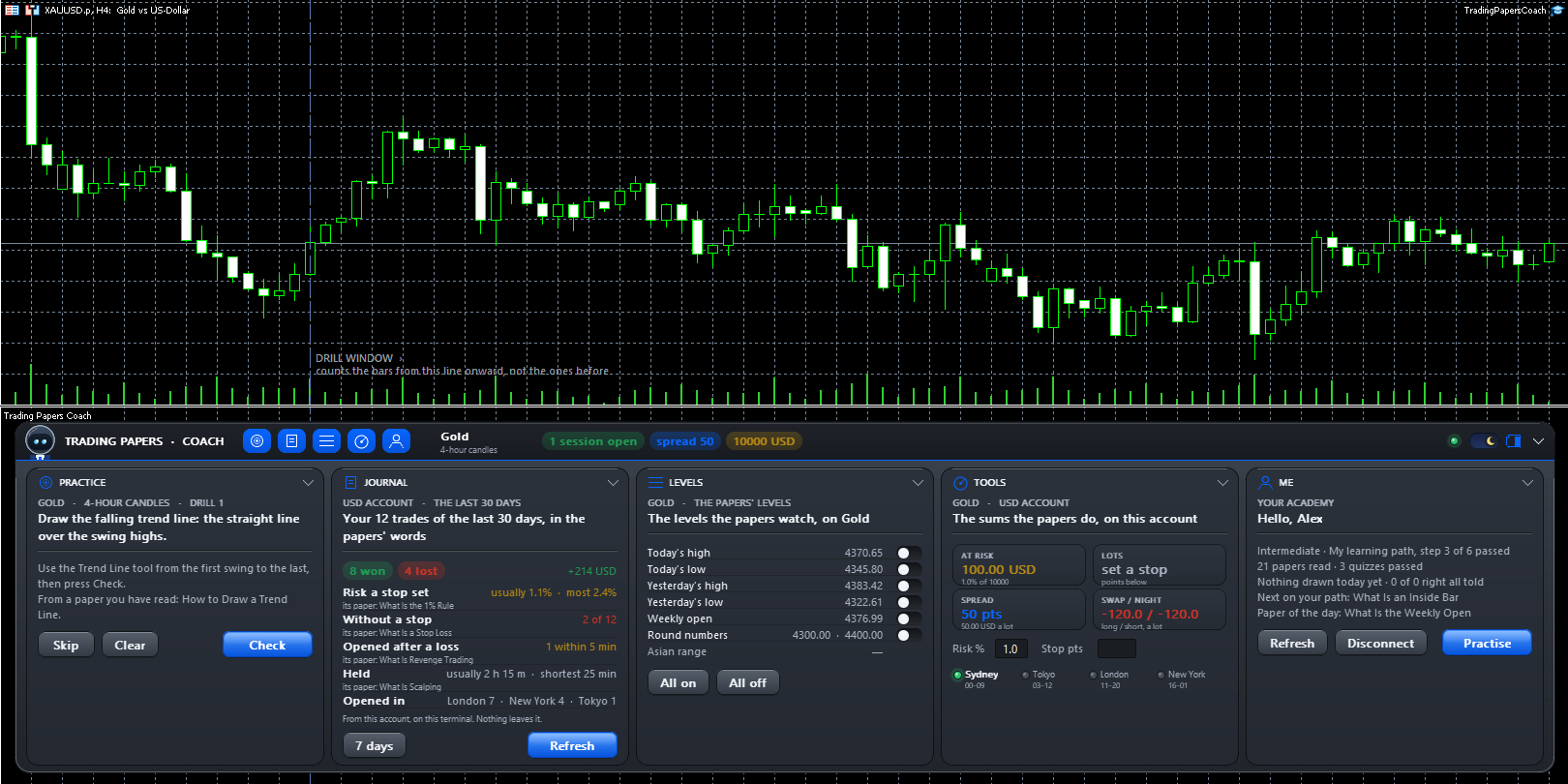
What it does
Practice
Drawing drills on the live candles. The client draws, presses Check, and the answer is drawn in green with its reason.
Journal
Their closed trades of the last week or month, in the papers' words. Read on the terminal and sent nowhere.
Levels
Today's and yesterday's high and low, the weekly open, round numbers and the Asian range — each on a switch.
Tools
The lot size for a risk and a stop, what the spread and a night's swap cost, which sessions are open.
Me
The client's level and path, papers read, their streak, and the next paper to read.
It never trades
There is no trading function anywhere in it. It is one file, MetaTrader 5 only, with nothing for anyone to approve.
Tutorial
From your installer to a linked chart.
Take the file
One file, TradingPapersCoach.ex5, is the whole Coach.
Ship it in your installer
Place it in the MQL5/Experts folder of your MetaTrader 5 installer, so every client's terminal has it.
The client allows the academy
Once, in Tools → Options → Expert Advisors, they allow your academy's address.
They drop it on a chart
From the Navigator, onto any chart. It docks under the candles or floats in a corner.
They link it once
The six-character code on their academy profile links the terminal for good.